

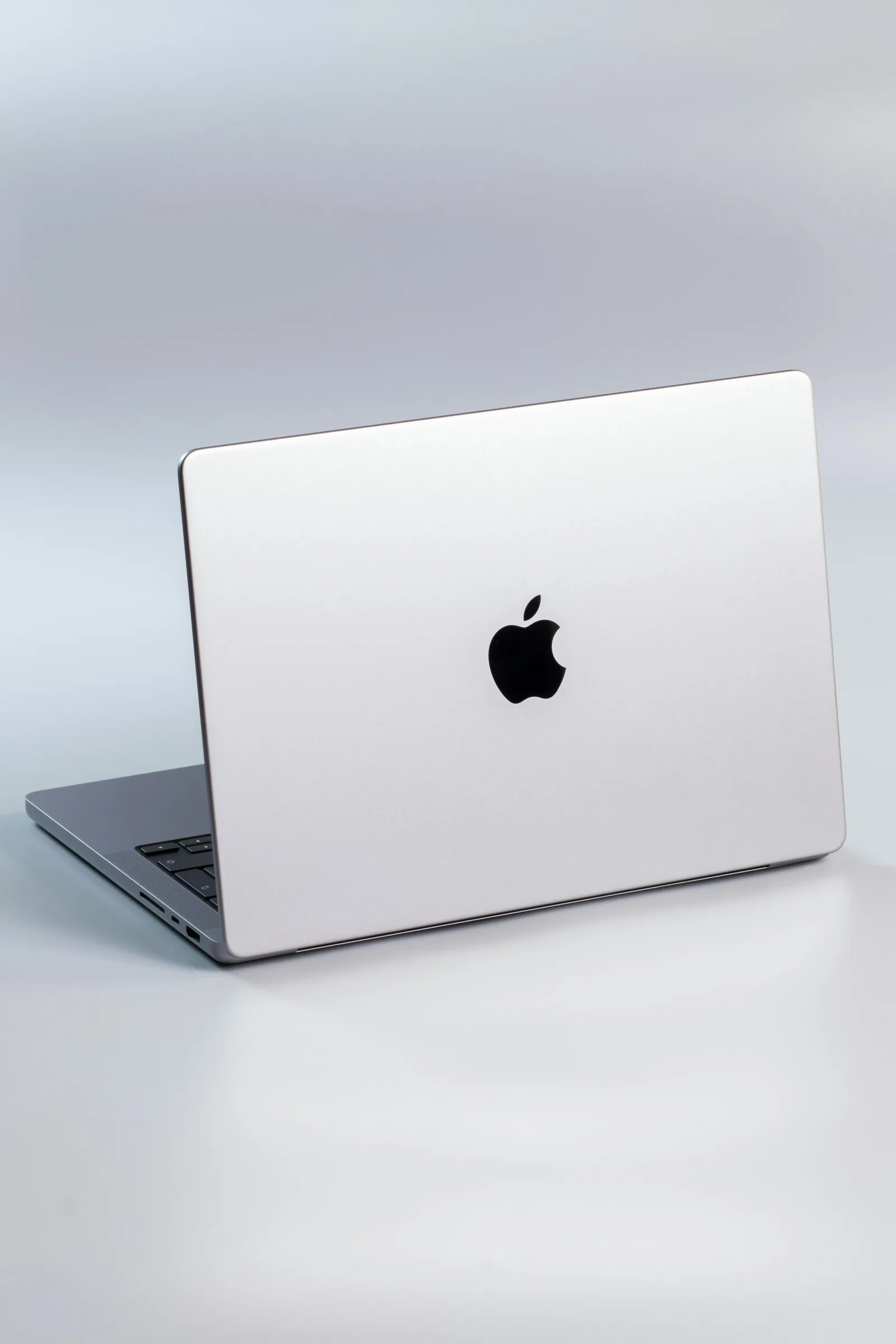
The high-end laptop landscape has reached a pivotal transition point. Apple’s latest MacBook Pro announcement represents more than an incremental yearly refresh; it introduces structural architectural changes across processing silicon, display technology, and thermal efficiency. Powered by the all-new M6 series silicon—the industry's first personal computer chip built on a 2-nanometer architecture—the flagship notebook line targets demanding local machine learning models, 8K real-time video rendering, and heavy computational workflows.
For creative directors, software engineers, and digital content creators, evaluating whether this generation warrants an upgrade requires a clear look beyond marketing claims. This guide breaks down the core technical shifts in the new MacBook Pro, comparing actual hardware capabilities to help you decide if it aligns with your professional workflow.
1. Architectural Deep Dive: The 2nm M6 Silicon Family
At the heart of the new MacBook Pro is Apple's latest system-on-a-chip (SoC) family. Transitioning to a advanced 2-nanometer fabrication process yields significant performance-per-watt improvements over prior 3nm architecture.
Enhanced CPU and GPU Core Configurations
The base M6 chip introduces a refined 12-core CPU structure consisting of two ultra-high-performance "Super Cores," four standard performance cores, and six high-efficiency cores. This hybrid arrangement allows macOS to offload routine background tasks to low-power cores while preserving dedicated headroom for single-threaded and multi-threaded calculations.
On the graphics side, the updated 12-core GPU incorporates third-generation hardware-accelerated ray tracing engines and dynamic caching. For 3D artists working in software like Blender or Cinema 4D, graphics throughput sees a notable boost in viewport responsiveness and complex lighting calculations. Higher-tier configurations featuring the M5/M6 Pro and Max variants further extend memory bandwidth up to 460GB/s, eliminating traditional memory bottlenecks in multi-stream 8K RED RAW workflows.
Dedicated Local AI Compute
Apple silicon continues to prioritize on-device machine learning. The M6 generation debuts a Dual 16-core Neural Engine paired with Neural Accelerators built directly into the graphics cores. This unified AI architecture delivers up to twice the peak compute power for localized Large Language Model (LLM) prompt processing, automated code completion, and complex video upscaling without relying on cloud processing.
Specification ComponentStandard M6M5/M6 ProM5/M6 MaxCPU Cores12 Cores (2 Super / 4 Perf / 6 Eff)Up to 18 CoresUp to 18 CoresGPU Cores12 CoresUp to 20 CoresUp to 32 CoresUnified Memory BandwidthUp to 170 GB/sUp to 307 GB/sUp to 460 GB/sNeural EngineDual 16-CoreDual 16-CoreDual 16-CoreExternal Display SupportUp to 2 DisplaysUp to 3 DisplaysUp to 4 Displays
2. PROLED XDR Display and Ergonomic Refinements
Display accuracy remains a critical benchmark for mobile workstations, and Apple's new PROLED XDR display panel introduces significant improvements in brightness, contrast, and weight.
- Tandem OLED Technology: By stacking two light-emitting layers, the display achieves a sustained SDR and HDR brightness of up to 1,000 to 2,000 nits, alongside a 10,000,000:1 contrast ratio. This yields deeper black levels without the mini-LED "blooming" halo effect around bright objects.
- Color Accuracy for Creators: The panel natively covers both the P3 wide color gamut and Adobe RGB color spaces, providing a precise portable reference monitor for color grading, photography, and print production.
- Optional Nano-Texture Glass: For professionals working on location or in brightly lit studio environments, an optional nano-texture coating scatters ambient light to reduce glare while preserving image sharpness.
- Thinner, Lighter Chassis: Thanks to the thinner OLED display stack, the overall enclosure weight drops by over half a pound. The 14-inch model weighs approximately 3.0 lbs (1.55 kg), while the 16-inch model comes in at 4.0 lbs.
3. Battery Longevity, Connectivity, and Hardware Integration
Efficiency remains a core advantage of Apple silicon. Despite performance gains across the CPU and Neural Engine, battery life scales up to an estimated 24 hours of video playback or 16 hours of active wireless web browsing on the standard 14-inch model.
[MagSafe 3 Port] ----> High-Speed Dedicated Charging (Fast Charge up to 96W)
[3x Thunderbolt Ports] -> Thunderbolt 4/5 Data, DisplayPort 1.4 & Power Delivery
[HDMI & SDXC Slot] ---> Direct Legacy Media Ingestion & 8K/4K Display Output
Wireless connectivity upgrades include support for Wi-Fi 7 and Bluetooth 6 via Apple's custom-designed wireless silicon, ensuring lower latency when connecting to high-speed networks and external peripherals. Physical port layouts maintain a practical mix: three Thunderbolt ports, a full-sized HDMI output, a high-capacity SDXC card slot, a 3.5mm headphone jack with high-impedance support, and a dedicated MagSafe 3 charging port.
On the front interface, a upgraded 12-megapixel Center Stage camera automatically adjusts framing during video calls, while a studio-quality three-microphone array and six-speaker sound system deliver exceptional clarity for audio production and remote collaboration.
4. Upgrade Decision Matrix: Who Should Buy the New MacBook Pro?
Determining whether to invest in the new MacBook Pro depends largely on your current hardware baseline and daily computational bottlenecks:
Upgrade Recommended If:
- You are using Intel-based Macs or M1/M2 generation hardware: The jump in CPU processing speed (up to 3.4x faster rendering in Blender over M1), memory bandwidth, display quality, and battery life makes this a massive quality-of-life and productivity upgrade.
- Your workflow relies heavily on local AI and machine learning: If you run local LLMs, automated transcription, AI image synthesis, or high-throughput data basecalling, the Dual 16-core Neural Engine offers substantial time savings.
- You require maximum display precision outdoors or on location: The PROLED XDR tandem OLED display with nano-texture glass provides reference-grade color reproduction and anti-glare capabilities that older mini-LED screens cannot match.
Hold Off or Consider Alternatives If:
- You recently purchased an M4 Pro or M4 Max MacBook Pro: For general video editing, software development, and office productivity, M4-series laptops remain exceptionally capable. The performance delta may not justify a full system replacement unless your work specifically hits thermal or memory bandwidth caps.
- Your primary tasks are lightweight daily productivity: Web browsing, document editing, and light media consumption do not strain pro-tier chips. An Apple Silicon MacBook Air provides a more cost-effective, portable alternative without active cooling fans.
Conclusion
The new MacBook Pro lineup successfully bridges raw hardware power with practical efficiency. By coupling 2nm M6 architectural efficiency with an optional reference-grade PROLED XDR tandem OLED screen, Apple delivers a workstation built for demanding creative and technical workflows. While casual users can safely stick with current-generation hardware or light MacBook Air models, creative professionals, engineers, and power users standing on older silicon will find this upgrade a major boost to their daily productivity.
#MacBookPro #AppleSilicon #M6Chip #TechNews #RuangTekno #LaptopReview #CreativeWorkstation
Reference Context: Technical details, chip specifications, and display features derived from official Apple hardware announcements, macOS developer documentation, and verified industry benchmarks.


Komentar 0
Belum ada komentar. Jadilah yang pertama berkomentar!